
Frequently Asked Questions
Everything you need to know about Gatefolded. Can't find what you're looking for? Contact us.
About Gatefolded
What is Gatefolded?
Gatefolded is your music page — not a list of links. When fans tap your link in bio, they land on your page and actually listen. Full tracks, lyrics, credits, streaming links, tips, all in one place. You can also collect emails directly from visitors, share exclusive content that streaming platforms can't offer, bundle digital extras with vinyl and merch, and share unreleased music privately with labels and press using password protection and email allowlists. $49/year, everything included.
How is this different from Linktree or other link-in-bio tools?
Linktree gives fans a list of buttons — they click one and leave. Gatefolded is the page itself. Your music plays right there, with no redirect and no app to download. Fans stay and actually listen, read lyrics, see credits, and tip you directly. You collect their email instead of handing them off to Spotify's algorithm. Plus you get features link-in-bio tools can't offer: password protection for unreleased tracks, email allowlists for industry contacts, custom themes that match your artwork, and real listening analytics (not just click counts) — one tool instead of three. And Linktree still cannot play your music on any tier — its paid plans (Starter, Pro, Premium) are priced by region, so check their pricing page for today's number. Gatefolded is $49/year, everything included.
Who is Gatefolded for?
Any musician who wants a better link-in-bio. Independent artists who want fans to actually listen (not just click through to Spotify), bands selling vinyl who want to bundle digital extras, producers sharing beat catalogs, and labels sending advance copies to press. If you want one page where fans stay, listen, and connect with you — instead of a list of buttons that sends them somewhere else — Gatefolded is for you.
Is there a difference between an "album" and a "release"?
No — they are the same thing. Your dashboard calls it an album because that is what the record is called, and the word covers an album, an EP or a single. You will see "release" in places where "album" would read oddly for a two-track single. Nothing behaves differently either way.
Can I import an existing release instead of typing everything in?
Yes, from MusicBrainz — the open music database. Search for the release, review the match we found, and confirm it. That fills in the title, tracklist, release date and label. It does not bring in audio: MusicBrainz does not hold any, so you upload your own files afterwards. It also does not import artwork, streams, followers, or anything from Spotify or another streaming service. If your release is not in MusicBrainz, enter the details yourself instead — nothing else changes.
What do my fans see when they visit my page?
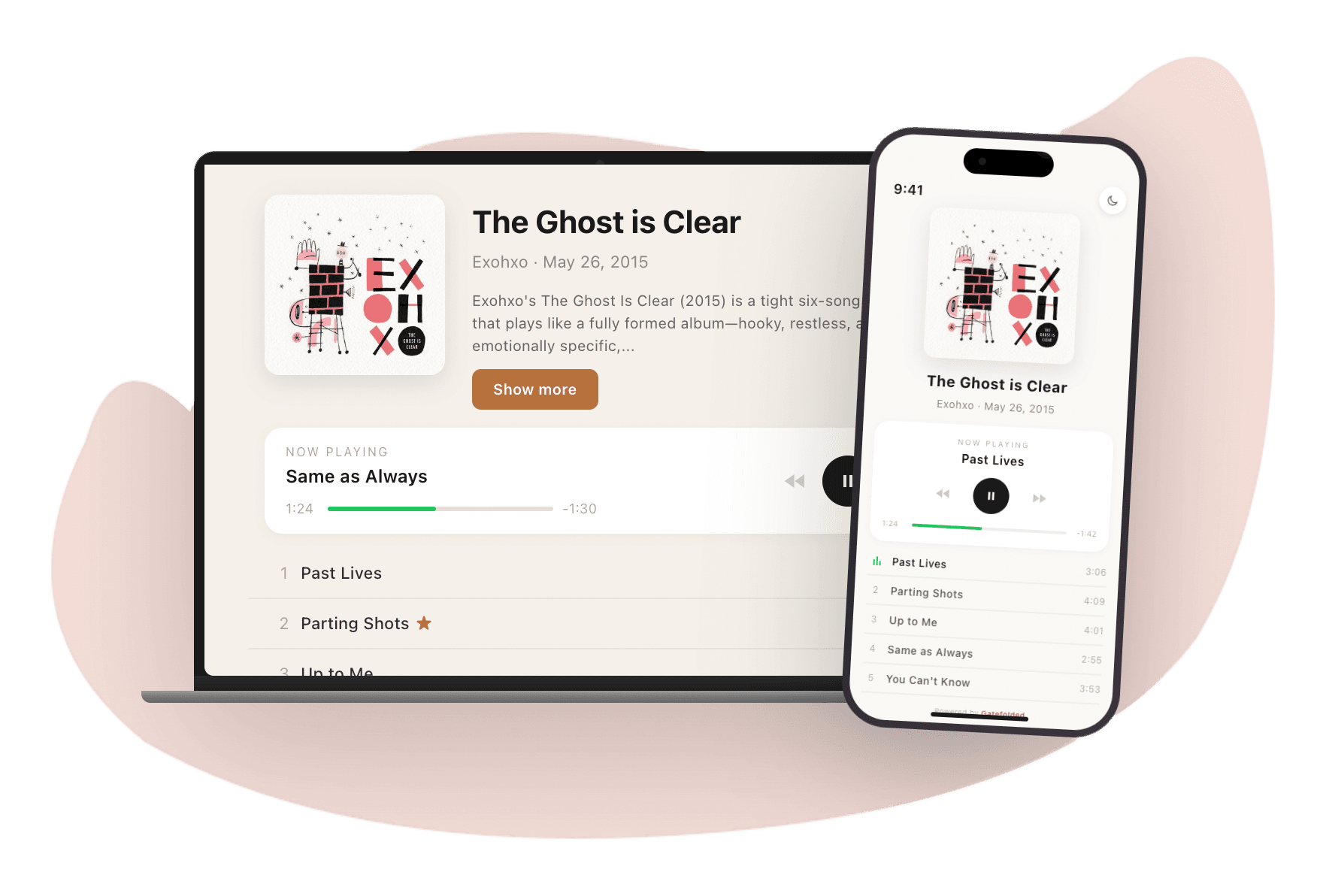
A beautiful, professional music page. Your album artwork, a full tracklist with a built-in player, lyrics, credits, streaming links (Spotify, Apple Music, etc.), social links, and tip buttons (Venmo, PayPal, Cash App). No ads, no algorithmic recommendations for other artists, no account required. They tap play and listen — right there on your page. You can also collect their email with an optional signup form that never blocks listening.
Why does Gatefolded cost $49/year when Linktree is free?
Linktree's free tier gives you a list of links. That's it. No music playback, no lyrics, no credits, no tips, no analytics beyond clicks, no private sharing. Linktree's paid plans add analytics and customization but still cannot play your music. Gatefolded gives you everything for $49/year: a real music page with built-in streaming, 7 themes plus custom colors, password protection, email allowlists, email/SMS collection, promo card generator, per-track analytics, and unlimited albums. One price, no tier to upgrade to, and a tool that actually understands music.
Can I use Gatefolded for released music, not just unreleased demos?
Absolutely — this is the primary use case. Put your Gatefolded link in your bio and fans land on a real music page instead of a list of buttons. They stream your tracks, read lyrics, see credits, tip you, and you can collect their email. Streaming platforms give you plays but not your listeners' contact info. Gatefolded gives you both. You can also offer exclusive content fans can't get on Spotify (alternate mixes, demos, bonus songs) and bundle digital extras with vinyl or merch.
How do I bundle digital extras with vinyl or merch?
Create a Gatefolded album with your bonus content (demos, instrumentals, alternate mixes, commentary tracks, anything fans can't get on streaming). Set it up with password protection. Print the password on a card included with your vinyl or merch, or email it to buyers after purchase. Fans enter the password and instantly stream or download their exclusive content. No separate shipping costs, no file hosting hassles, and you know exactly who's listening. It's the modern equivalent of the hidden track at the end of a CD.
Can I use Gatefolded to send unreleased music to labels or press?
Yes. This is what Gatefolded was originally built for. Password-protect your demos so only people with the code can listen. Use email allowlists to restrict access to specific A&R contacts or journalists. Disable downloads to prevent leaks. Set links to expire after a date or play count for time-sensitive promo copies. You get real-time alerts the moment someone starts listening, so you know exactly when a label opens your submission. It's a professional alternative to emailing ZIP files or sharing Dropbox links.
Do you have a public artist page I can use as my main link?
Yes! Every artist you create gets a public page at gatefolded.com/artist/your-name. This page showcases all your albums with share links enabled, plus your bio, photo, and social links. It's perfect for your Instagram bio or anywhere you want one link to everything.
What appears on my public artist page?
Your public artist page displays your artist name, bio, and photo at the top. Below that, visitors see all albums that have share links enabled, presented as clickable album cards. Your social media links (Instagram, TikTok, X, website) appear as icons. It's a complete hub for fans to discover all your music.
Can I control the order albums appear on my artist page?
Yes. Drag and drop albums to reorder them from your dashboard — works on desktop and mobile. The order you set is reflected on your public artist page.
Can I invite collaborators to help manage our artist page?
Yes! Gatefolded has built-in collaboration. As the artist owner, you can invite up to 4 additional members by email. Once they accept, they can upload tracks, edit album details, manage share settings, and do everything except delete the artist or manage members. Perfect for bands where everyone contributes to the release process.
Can I review changes made by collaborators before they go live?
Yes! As the artist owner, you can enable "Require approval for member changes" in the Members tab. When enabled, any changes made by collaborators (like editing album details or track titles) will be held for your review. You'll see pending changes in your dashboard and can approve or reject them. You can also rollback changes if needed. This gives you final control while still letting your team contribute.
Can I show albums from multiple artists on one page?
Yes! If you manage multiple artist profiles, you can link them together. Go to your artist profile settings and open the Linked Artists section. Select any of your other artists, and their albums will appear on your public artist page grouped by artist name. Perfect for musicians who play in multiple bands, labels showcasing their roster, or PR firms featuring their clients — one page with everything in one place.
Can I move an album to a different artist?
Yes! If you manage multiple artist profiles, you can move albums between them. On the album page, click the artist name to see options: rename the current artist, move the album to another artist you own, or create a new artist for it. This is helpful if you started under one name and want to reorganize your catalog.
Can I collect email addresses and phone numbers from visitors?
Yes! Each album has a "Collect Emails" toggle right in its settings. Turn it on and an optional signup form appears on that album's share page. For artist-wide defaults (custom call-to-action text, phone number collection, and form placement), configure the Email / SMS Collection section in your artist profile settings. Each album can override the artist default independently. Submissions are stored in your dashboard where you can view and export them as CSV.
What happens with the email addresses I collect?
Subscriber data belongs entirely to you. Gatefolded stores emails and phone numbers securely and only you — the artist owner, not collaborators — can view them. We never contact your subscribers, share their details with third parties, or use them for marketing. You can export any artist's list as a CSV from that artist's page and take it to the email tool of your choice; each row records which page the visitor signed up from and when. One limit worth knowing before you rely on it: a list above 25,000 subscribers is more than one file can carry, so the export refuses outright and tells you to contact us, rather than quietly handing you a short one. Two things Gatefolded does not do: there is no unsubscribe link on the form, and there is no way to delete one subscriber on their own. Deleting the artist deletes its subscribers with it.
Will my artist and album pages show up in search results?
Yes. Gatefolded automatically adds structured data, Open Graph tags, and sitemap entries to your artist and album pages. This means search engines can index your pages properly and social platforms display your album artwork and details in link previews. You don't need to configure anything — discoverability is built in.
Gatefolded vs Alternatives
Why use Gatefolded instead of WeTransfer, Dropbox, or Google Drive?
File transfer services work, but they're not built for music. With Gatefolded, recipients don't need to download anything. They can stream directly in their browser. You get password protection without sharing clunky folder links, a branded experience with your artwork and track listings, and listeners see a professional album page instead of a generic file list. Plus, you can add streaming links, socials, and tip options all in one place. It's the difference between emailing a ZIP file and sending a polished preview of your work.
How do I use Gatefolded alongside Spotify and Apple Music?
Gatefolded works perfectly as a promo companion to streaming platforms. Use it to share music before it's released. Send password-protected links to press, playlist curators, or collaborators for early feedback. Once your music is live, add your Spotify, Apple Music, and other streaming links to the same page. Fans get one link that lets them preview tracks and then click through to save on their preferred platform. It's your complete pre-release and post-release hub in one place.
Can I use Gatefolded instead of Bandcamp or SoundCloud?
Yes! If you want to share music directly with fans without going through a subscription-based platform, Gatefolded is a great alternative. Fans can stream your full tracks right on the page. No account required, no ads, no algorithmic recommendations pushing other artists. Add your Venmo, PayPal, or Cash App to let fans tip you directly with zero platform fees from Gatefolded. You keep complete control over the experience and your relationship with listeners.
What makes Gatefolded better for sharing demos and unreleased music?
Gatefolded gives you professional-grade access control that file sharing services lack. Set passwords that you can change anytime. Create email allowlists so only approved contacts can listen. Disable downloads to prevent leaks. Get a branded page with your artwork instead of a generic file browser. And because it's streaming-based, recipients can listen instantly on any device without downloading large files. It's built for the way musicians actually need to share work-in-progress.
Do listeners need to create an account to hear my music?
No. Anyone with your share link can listen immediately. No sign-up, no app download, no subscription. If you've enabled password protection or email allowlist, they'll just need to enter those credentials. The listening experience is completely frictionless for your audience.
Sharing Music
How does password protection work?
When you enable password protection on an album, anyone who visits your share link will need to enter the password before they can listen. You set the password, and you can change it anytime — changing it immediately locks out anyone who had already entered the old one, so a new password is a way to cut off access, not just a way to hand out a different code. After saving, you'll see the password displayed once with a copy button. Save it somewhere safe since you won't be able to view it again (for security, passwords are encrypted). Great for sharing with a select group of people.
What is the email allowlist feature?
The email allowlist lets you restrict access to specific email addresses. When enabled, visitors must enter their email and verify it with a one-time code sent to their inbox. Only emails on your allowlist will be granted access. Taking an address off the list takes effect straight away, including for someone who had already verified and started listening. This gives you precise control over who can hear your music.
Can I control who downloads my music?
Absolutely. You can enable or disable downloads on a per-album basis. When downloads are disabled, listeners can stream your music but cannot save the audio files. When enabled, they'll see a download button for each track.
Can listeners leave feedback or comments on my music?
Yes! You can enable recipient feedback on any album. When enabled, listeners can leave their name, email (optional), and comments after listening. You'll see all feedback in your dashboard. Great for gathering reactions from collaborators, labels, or press before release.
Can people request access to my private music?
Yes! When you have a public artist page, visitors can request access to your gated content. They submit their name and email, and you'll see pending requests in your dashboard under the "Requests" tab. Approve to add them to your allowlist, or deny to reject. You can also pre-approve emails before they even request by adding them to your allowlist in advance.
Can I hide my album details until someone is authorized?
Yes! Enable "Hide details before login" in your share settings. Visitors will see a locked placeholder instead of your cover art, track titles will be hidden, and the artist name won't be shown until they enter the password or verify their email. This adds an extra layer of privacy for unreleased material.
What do "published" and "private" actually mean?
Published means the share link is switched on, so anyone who has the link can open the page. Private (or "not published") means the link is off and only you can see it. Publishing is a choice you save; it is not the same as the page being reachable, which also needs your subscription to be active. Password protection, email allowlists and expiry sit on top of a published link and narrow who can get in.
Can I hide specific tracks from my share page?
Yes! Each track has a hide/show toggle (the eye icon) in your dashboard. Hidden tracks stay in your tracklist for your own reference but are completely removed from the public share page. This is useful for works-in-progress, bonus tracks you're not ready to share yet, or instrumentals you only want certain people to hear. Hidden tracks can still be managed, edited, and reordered from your dashboard — they just won't appear to visitors.
Can I control which details are shown for each track?
Yes! Each track has independent visibility toggles for lyrics, credits, notes, and extras. When you open the editor for any of these fields, you'll see a toggle to show or hide that content on the share page. For example, you might want to share lyrics for some tracks but not others, or hide credits while keeping notes visible. The content is preserved in your dashboard either way — toggling visibility only affects what visitors see on your public share page.
What are track extras?
Track extras let you attach additional content to individual tracks — things like sheet music, chord charts, guitar tabs, lyric PDFs, behind-the-scenes photos, or links to tutorial videos. Listeners see these displayed right below each track on your share page. It's a way to give fans more context and value beyond the audio itself.
What file types and sizes are supported for track extras?
You can upload PDF, JPG, or PNG files, up to 10MB each. You can also add external links with custom labels — great for linking to YouTube tutorials, lyric sites, or anything else you want listeners to find alongside a track.
How many extras can I add per track?
Up to 3 extras per track. Each extra can be either a file upload or an external link. Mix and match however you like — for example, a chord chart PDF, a behind-the-scenes photo, and a link to a tutorial video.
Can listeners download file extras?
Yes. File extras (PDFs, images) are accessible to anyone who can view the share page. Files are served through secure, private URLs — they're not publicly indexed or discoverable outside your share page.
Showcases (Multi-Artist Pages)
What is a showcase?
A showcase is a page type that features multiple artists on a single shareable link. Each artist gets their own section with a photo, bio, and tracks, and one page-level player plays continuously from the top of the page to the bottom. It's built for newsletter editions, label samplers, artists-to-watch roundups, and PR rosters — anytime your link is about a lineup, not a single release. You'll find it in the Showcases tab of your dashboard.
How is a showcase different from an album page?
An album page is about one release: one artist, one tracklist, one link. A showcase is about several artists at once — each gets a self-contained section (photo, bio, tracks) stacked on a single page, and the player flows across every section continuously. Use an album page to promote your own music; use a showcase when you're curating or featuring multiple artists in one place.
How do I create a showcase?
Go to the Showcases tab in your dashboard and click to create a new one. Give it a title, then add a section for each artist — upload a photo, write a bio, add their tracks, and optionally a Spotify link. Pick a theme, add an optional contact / licensing CTA for the footer, confirm you have the rights to share the music, and flip the share toggle on. Copy the link and you're ready to send it.
Can I feature artists who don't have a Gatefolded account?
Yes. Showcase sections are self-contained — you type the artist name and bio and upload their photo and audio directly into the section. The featured artists don't need their own Gatefolded accounts. You just need the rights to share the music. This is what makes showcases work for newsletters, label samplers, and PR rosters.
Does the music play continuously across artists?
Yes. A showcase has one player for the whole page, and it plays continuously across sections. A listener can hit play on the first artist and let the entire edition run — through every artist and every track — while they keep scrolling or switch tabs. It plays like a curated mixtape rather than a list of separate links.
Can I see how each featured artist performed?
Yes. Because every track plays through Gatefolded, you get listening analytics per artist — plays and listeners, broken out by section. When you send a sampler, you can see which artists actually got listened to, not just whether the link was clicked.
Can I reuse a showcase for the next edition?
Yes. Each showcase has a duplicate-for-next-edition action that clones it — theme, layout, CTA, and structure — into a fresh draft. Set up the format once, then duplicate it each period and swap in the new lineup. Perfect for a monthly featured-artist newsletter or a recurring label sampler.
Why do I have to confirm rights before sharing a showcase?
Because a showcase often publishes other people's music, the share toggle is gated behind a rights confirmation. You confirm you're cleared to share the music before the page can go live, and turning rights confirmation off also takes the page offline. It's a deliberate step so featuring multiple artists stays on the right side of permissions.
Can I theme a showcase and add a contact button?
Yes. Showcases support the same seven themes as album pages, so you can match the tone of the edition. You can also add an optional contact / licensing CTA that appears at the bottom of the page — point it at your inbox for licensing inquiries, bookings, or a reply-to for the newsletter.
Streaming & Links
Can I add links to my released music on Spotify, Apple Music, etc.?
Yes! You can add links to Spotify, Apple Music, YouTube Music, Bandcamp, and SoundCloud. These appear as buttons on your share page, making it easy for fans to listen on their preferred platform.
Can I add custom links beyond the built-in platforms?
Yes! In addition to the built-in streaming and social links, you can add custom links to any album. Click "Add Custom Link" in the Links section to add any URL with a custom label. Great for linking to your merch store, music videos, press kit, or any other page you want to share.
Can fans tip or support me directly?
Yes! You can add your Venmo, PayPal, or Cash App handles to your album pages. Fans will see support buttons and can tip you directly without any platform fees from Gatefolded.
Can I link to my merch store or vinyl shop?
Yes! Use the "Add Custom Link" feature in the Links section of any album to add links to your Bandcamp merch page, Shopify store, Big Cartel, Etsy, or any other URL. Give each link a custom label like "Buy Vinyl" or "Merch Store" and it will appear alongside your streaming and social links on the share page. You can add up to 20 custom links per album.
Distribution & Streaming Services
Does Gatefolded distribute my music to Spotify, Apple Music, or other streaming platforms?
No. Gatefolded is not a distributor. We don't submit your music to streaming platforms on your behalf. What we do is give you a direct-to-fan music page where fans actually listen, plus tools for private sharing, access control, and fan engagement that distributors and streaming platforms don't offer. If you need distribution, services like DistroKid, TuneCore, or CD Baby handle that. Once your music is live on streaming platforms, you can add those links to your Gatefolded page so fans can find you everywhere from one place.
Why doesn't Gatefolded offer distribution?
Distribution is a solved problem — there are plenty of good services that get your music onto Spotify and Apple Music. What's not solved is what happens after. Streaming platforms don't give you your listeners' contact info, don't let you offer exclusive content, and don't let you control the experience. Gatefolded focuses entirely on the direct-to-fan relationship: owning your audience, sharing exclusive content, collecting emails, and giving fans a reason to come to you instead of just streaming your tracks alongside algorithmic recommendations for other artists.
How does Gatefolded work alongside my distributor?
They're complementary. Your distributor (DistroKid, TuneCore, CD Baby, etc.) gets your music onto streaming platforms. Gatefolded gives you a direct channel with your fans that those platforms can't provide. Use your distributor to get on Spotify and Apple Music for discovery. Use Gatefolded as your link-in-bio so fans land on your page — where they stream your tracks, see lyrics and credits, tip you, and sign up for your email list. You can also offer exclusive content on Gatefolded (demos, alternate mixes, bonus tracks) that isn't available on streaming platforms, giving fans a reason to engage with you directly.
Can I use Gatefolded for pre-release before my distributor delivers to streaming platforms?
Yes — this is a great workflow. Upload your album to Gatefolded first and share it privately with press, playlist curators, or collaborators using password protection and email allowlists. Collect feedback before the public release. Once your distributor delivers the album to streaming platforms, add your Spotify, Apple Music, and other links to the same Gatefolded page. Your pre-release hub becomes your permanent fan page with zero extra work.
What can I do on Gatefolded that I can't do through a distributor or streaming platform?
Distributors get your music onto platforms. Streaming platforms let people listen. Neither gives you: direct email collection from listeners, password-protected private sharing, exclusive content only your fans can access, per-track analytics showing how much of each song people actually listen to, real-time alerts when someone starts playing your music, fan tipping with zero platform fees, bundling digital extras with vinyl or merch, or a branded page you fully control with no ads or algorithmic recommendations. Gatefolded handles all of that.
Pricing & Plans
How much does Gatefolded cost?
Gatefolded costs $49 per year with unlimited artist profiles, unlimited albums, and unlimited tracks. No add-ons.
Is there a free trial?
Yes! Every new account gets a 7-day free trial with full access to all features. No credit card required to start.
What's included in my subscription?
Your subscription includes: unlimited artist profiles (invite up to 4 collaborators per artist), unlimited albums and tracks, linked artists, per-track extras, custom theme builder plus 7 presets, promo card generator, analytics with real-time alerts, password protection, email allowlist with OTP verification, download controls, share link expiration, and recipient feedback collection. See the full breakdown at gatefolded.com/pricing.
Can I create multiple artist profiles?
Yes! Every Gatefolded subscription includes unlimited artist profiles at no extra cost. Create as many as you need — each profile gets its own page, albums, and settings. Perfect for managing multiple bands, solo projects, or aliases.
Can I cancel anytime?
Yes, you can cancel your subscription at any time. Your account will remain active until the end of your current billing period. We don't offer refunds for partial periods, but you'll never be charged again after canceling.
Is there a referral program?
Yes — and it pays. Every account has a unique invite link you can share with other musicians (find it in Settings under "Invite Friends," or use the banner on your dashboard). When someone subscribes using your link, you earn $5 in account credit and they get 10% off their first year. The credit is applied automatically to your next renewal, so referrals can add up to a free year or more. There's no limit on how many people you can refer.
How and when do I get my referral reward?
Your $5 reward is credited after the person you referred completes their first paid subscription — not just when they sign up for a trial. It's added as account credit that automatically comes off your next renewal invoice (refer 10 people who subscribe and your next year is effectively free). You can track how many friends have joined and your total credit earned in Settings under "Invite Friends." If a referred user is fully refunded within 30 days of the credit being issued, the corresponding credit is reversed.
Analytics & Insights
How do analytics work?
Gatefolded tracks three main metrics for your shared music: page views (when someone visits your share link), plays (when someone starts listening to a track), and downloads (when someone downloads a track). We use privacy-friendly tracking. We don't store personal information, just anonymous visitor counts. Each unique visitor is only counted once per day per action to give you accurate engagement numbers.
What analytics data can I see?
Your analytics dashboard shows total plays, views, and downloads across all your music, plus a breakdown by artist and album. You can filter by time period: 7 days, 30 days, 90 days, or all time — and all time really does mean all time, with no hidden cut-off. Each album page also shows its individual stats so you can see exactly how each project is performing.
How does per-second listening tracking work?
When someone listens to your music, we track detailed playback events: when they press play, pause, skip, seek to a different part of the track, and when the track ends. This lets you see not just that someone played your track, but how much of it they actually listened to. You can identify which tracks hold attention and where listeners might be dropping off.
Can I export my analytics data?
Yes. On the analytics page, select an album from the dropdown and click "CSV" or "JSON". The export covers daily statistics (views, plays, downloads, unique visitors) and per-track breakdowns for that album across the range you picked. If that range holds more than 100,000 events it refuses and asks you to pick a shorter one — a partial file that looked complete would be worse than none. Good for reporting to labels, tracking a promo campaign, or keeping your own records.
What are real-time notifications?
When you enable "Real-time Alerts" for an album, you'll see instant pop-up notifications in your dashboard whenever someone accesses that share link. Great for knowing the moment a label A&R or press contact starts listening to your submission. You can enable this per-album in the share settings under "Notifications."
What's the difference between email notifications and real-time alerts?
Email notifications send you an email when someone accesses your share, which is good if you're away from the dashboard. Real-time alerts show instant pop-ups while you're browsing your dashboard, perfect for knowing immediately when someone's listening. You can enable both, either, or neither depending on your preference.
Can I set different notification preferences for each album?
Yes! Each album has its own notification settings in the Share Settings > Notifications section. You can enable email notifications and/or real-time alerts independently for each album. This is useful when you want to closely monitor a new release while keeping older albums quieter. You can also set album-specific message templates for notification emails.
Privacy & Ownership
Who has access to my music if I upload it to Gatefolded?
That depends entirely on what you publish. Your uploaded music is private by default: nobody can reach it until you create a share link. From there it is your choice how narrow the audience is — a password, an email allowlist and expiry settings restrict a page to particular people, while a plain share link opens for anyone who has it, and a public artist page or showcase is meant to be found. Gatefolded does not listen to your music or use it for its own purposes. A small number of named administrators have support and moderation tooling that can reach account content, which is how we answer support requests and act on abuse reports. Files are stored and served by providers working on our behalf; our Privacy Policy explains how we handle and disclose data.
Do I retain ownership of my music?
Absolutely. You own 100% of your music. Gatefolded never claims any rights to your content. We're simply a hosting and sharing tool. Think of us like a secure locker for your files. You can delete tracks, albums, artists or the whole account whenever you like: deleting takes the music out of your account and off your pages straight away, and we stop handing out any new links to it from that moment. Two honest caveats. A media link a listener already opened keeps working until it expires on its own, up to about an hour, so deleting does not reach back and cut off a session already under way. And we do not promise that the stored file itself is wiped the instant you press delete. There is no undo either way, so keep your own copies.
Is there anything in writing that confirms my music belongs to me?
Yes. Our Terms of Service explicitly state that you retain all ownership rights to any content you upload. We only have a limited license to host and serve your files to the people you authorize. Nothing more. You can review the full terms at gatefolded.com/terms.
What happens to my music if I cancel my subscription?
If you cancel, your account remains active until the end of your billing period. After that your share links stop working, but your data is kept for 30 days in case you resubscribe. Once an account has been canceled or expired for at least 30 days it becomes eligible for deletion, and a cleanup job that runs daily removes it and its files. That job works through a batch at a time, so deletion lands on one of the daily runs after day 30 rather than at the exact minute you reach it — 30 days is the earliest, not the deadline. You can also delete your account yourself at any time from Settings, which removes it right away.
Can Gatefolded use my music in promotional materials?
No. We will never use your music, artist name, or artwork in any marketing or promotional materials without your explicit written permission. Your content is yours alone.
How secure is Gatefolded technically? What prevents leaks?
Your music is private by default, and nothing is published on your behalf. Who can hear it follows from the pages you choose to publish and the controls you put on them: a password or an email allowlist narrows a page to particular people, while an ordinary share link, a public artist page and a showcase are meant to be opened by whoever receives or finds them. Switch an album's sharing off and its page stops opening and no new media links are issued for it. A link a listener already loaded is the exception worth knowing: it cannot be recalled, and runs until it expires on its own, up to about an hour. Traffic is encrypted, passwords are hashed rather than stored, and audio is reached through expiring links rather than a permanent address. Running the service means providers store and process your files on our behalf. You keep ownership of everything you upload; our Terms give us only a limited licence to operate the service. The Terms and Privacy Policy are the authoritative version of all of this.
How is subscriber data protected?
Subscriber emails and phone numbers are stored securely and only the artist owner can read them. We never sell your list, never market to it, and Gatefolded never emails your subscribers. It is stored the same way as the rest of your account data, with service providers working on our behalf. A privacy note ("We'll never share your info") appears on every collection form, alongside a line telling the visitor their details go to you rather than to Gatefolded. Visitors are never required to sign up: the form is always optional and never blocks listening or downloads. There is no confirmation email and no self-service unsubscribe link, so a visitor who wants off the list has to ask you. If you delete your artist, all associated subscriber data is permanently removed.
How do I report inappropriate or infringing content?
Every public artist page and share page has a "Report" button at the bottom. Click it to report content that violates our terms, including copyright infringement, illegal content, or spam. Select the reason for your report and submit. Our team reviews all reports and takes action as needed. If you believe your copyrighted work is being shared without permission, please include details about the original work in your report.
Technical
What file formats are supported for music uploads?
MP3, WAV, FLAC, AAC, M4A and OGG. Each file can be up to 500MB, which is enough for a long lossless master. For best results upload high-quality files — 320kbps MP3 or a lossless format.
Can I customize the look of my share pages?
Yes! Gatefolded offers 7 preset color themes (Dark, Light, Warm, Cool, Minimal, Bold, and Vintage) plus a custom theme builder. With custom themes, you can pick your own background, accent, and text colors using color pickers or an eyedropper tool that extracts colors directly from your album artwork. The system also automatically generates a color palette from your cover art that you can click to apply.
Can I use my own domain for my artist page, and how do I set it up?
Yes — you keep the domain, we handle the hosting. Go to your artist profile settings in the dashboard and open the Custom Domain card. Enter the domain you want to use — a subdomain like music.yourdomain.com is the case that works at every registrar. Gatefolded will show you a CNAME record to add with your domain registrar — just point it to cname.vercel-dns.com. Once DNS propagates (usually a few minutes), click Verify Domain. Your artist page will be live at your custom domain with automatic SSL. Album share pages also work on your domain (e.g., yourdomain.com/s/album-name). You can use a bare apex domain (yourdomain.com) instead, but check your registrar first: a plain CNAME is not allowed at the apex of a zone, so an apex domain needs a registrar that supports CNAME flattening or ALIAS/ANAME records at the root. Plenty do not, and those will simply refuse the record — if yours does, use a subdomain.
Do I need to buy a domain from Gatefolded?
No. Gatefolded is not a domain registrar. You bring your own domain — purchased from any registrar (Namecheap, Squarespace Domains, Cloudflare, GoDaddy, etc.). You just point it at Gatefolded using a CNAME record. This means you keep full ownership and control of your domain. If you ever leave Gatefolded, your domain stays with you.
Does my custom domain get SSL / HTTPS?
Yes. SSL certificates are provisioned and renewed automatically. Once your domain is verified, it serves over HTTPS with no extra configuration. Your visitors see the green lock icon and a secure connection.
Are there keyboard shortcuts for the music player?
Yes! Press spacebar to play/pause, left/right arrows to skip tracks, and up/down arrows to adjust volume. These work on both share pages and in your dashboard when previewing tracks.
How do I delete my account?
You can delete your account from the Settings page in your dashboard. Click "Delete Account", type the confirmation phrase, and confirm. That deletes your account and everything under it — artists, albums, tracks, analytics and subscriber lists — and your pages stop resolving immediately. Your uploads go with it: the audio, artwork and track extras you uploaded are removed from storage as part of the same deletion, rather than being left behind for a later sweep. That removal is done first, before any account records are deleted, and if it stops partway the account itself is not deleted — any files not yet removed stay connected to it, so you can try again and finish the job. Files already removed do not come back. It cannot be undone, so get your own copies out first and check them before you confirm. "Export your data" gives you a JSON record rather than a full backup: no audio, no artwork, and only your most recent notifications and analytics events. Each artist's subscriber CSV is a separate download, and a list over 25,000 will refuse and need us to send it. Your masters and artwork are in none of these exports, so make sure you still hold the originals.
Why am I seeing a warning when I open Gatefolded from Instagram or Facebook?
Some in-app browsers (Instagram, Facebook, TikTok, LinkedIn, Twitter/X, Snapchat) block Google sign-in for security reasons. When we detect you're using one of these browsers, we show a warning with instructions to open in Safari or Chrome instead. On iPhone, tap the "..." or share icon and select "Open in Safari." On Android, tap the menu and select "Open in Chrome." Once you're in a regular browser, sign-in will work normally.
Can I install Gatefolded as an app on my phone?
Yes! Gatefolded works as a Progressive Web App (PWA) for a faster, app-like experience. On iPhone, open gatefolded.com in Safari, tap the Share button, then "Add to Home Screen." On Android, tap the browser menu and select "Install app" or "Add to Home Screen." You'll get a full-screen experience, faster loading, and easy access from your home screen.
Can I upload multiple tracks at once?
Yes! On any album page, click "Upload" to select multiple audio files at once. They'll be uploaded and added to your tracklist in the order selected. Drag and drop to reorder tracks after uploading.
Can I add tracks from one album to another without re-uploading?
Yes! On any album page, click "Add Existing" to browse tracks from your other albums. You can search by track title, album, or artist, select individual tracks or entire albums at once, and import them in one click. The imported tracks reference the same audio files so nothing is re-uploaded — it's instant. This is perfect for creating compilations, best-of collections, or curated playlists from your existing catalog. You can import up to 50 tracks at a time.
Can I add professional metadata like ISRC codes and catalog numbers?
Yes! Each track has optional fields for professional metadata including ISRC code, composer, publisher, and PRO (Performance Rights Organization) affiliation. At the album level, you can add a UPC/barcode, catalog number, record label, and copyright info. This metadata is useful for keeping your releases organized and can be included when sharing with labels or distributors. Click the expand arrow on any track to access these fields.
Can I highlight a specific album on my artist page?
Yes! You can set one album as your "Featured Album" on your public artist page. The featured album appears larger and more prominently at the top of your album list, perfect for highlighting a new release or your most important project. Just click the star icon on any album to make it featured.
Can I export my data from Gatefolded?
Yes, with limits worth knowing before you rely on one. Settings has "Export your data", a JSON record of your most recent account and catalogue data — profile, artists, releases, tracks, notifications and analytics. Treat it as a record, not a guaranteed-complete history: large collections can be shortened by server response limits, and it contains no audio, no artwork and none of your subscribers. The other two exports are separate and each refuses rather than hand you a short file: subscriber lists come from each artist's page as CSV, and per-album analytics come from the Analytics page as CSV or JSON. If you are exporting before deleting an account, download all three, open them, and make sure you still hold your own masters and artwork — they are in none of them.
What are promo cards and how do I create them?
Promo cards are shareable graphics for promoting your music on social media. From any album share page or album details page, click "Create Promo Card" to open the generator. Choose from 6 templates (Dark, Light, Warm, Cool, Minimal, Bold), pick Story (9:16) or Square (1:1) format, and customize with badge text (like "Out Now" or "Coming Soon"), streaming platform icons, custom backgrounds, and font styles. The live preview updates as you edit, then export as PNG to share on Instagram, TikTok, X, or anywhere you promote your music.
What promo card templates and customization options are available?
Gatefolded offers 6 promo card templates: Dark (deep charcoal), Light (clean white), Warm (amber tones), Cool (blue-gray), Minimal (high contrast), and Bold (vibrant purple). Each template has pre-set colors for background, text, accents, and badges. Beyond templates, you can customize: format (Story 9:16 or Square 1:1), badge text (presets like "Out Now," "Coming Soon," "New Single," or your own), up to 8 streaming platform icons, an optional release date, custom background images, font style (Modern, Classic, or Bold), album art frame styling (corner radius and shadow), and text color overrides. Everything updates in real-time as you adjust.
Can I download all tracks from an album at once?
Yes! When downloads are enabled on an album share page, listeners can click "Download All" to get all tracks bundled into a single ZIP file. This is much faster than downloading tracks one by one, especially for albums with many songs. The ZIP file is named after your album and contains all tracks in their original format.
How do I quickly create a new album?
From your main dashboard, click the "Create Album" button at the top right. Enter your album title and it will be created instantly under your current artist. You can then upload tracks, add artwork, and configure share settings. If you manage multiple artists, make sure you're viewing the right artist page first.
How do I save downloaded tracks to Files on iOS?
When you download tracks on an iPhone or iPad, Gatefolded uses the native iOS Share Sheet, giving you the option to "Save to Files" directly. This lets you choose exactly where to save your music: iCloud Drive, your device, or any connected cloud storage. Much better than the default browser download behavior that buries files in a hard-to-find location.
Can I add retargeting pixels to my pages?
Yes! Gatefolded supports Meta (Facebook/Instagram) Pixel, TikTok Pixel, and Google Ads / GA4 tags. Go to your artist profile settings and scroll to the "Tracking & Pixels" section. Enter your pixel IDs and save. Pixels are injected on your public artist page and on album share pages, but only for a visitor who has accepted cookies and, where the album is password-protected or allowlisted, only once they are through the gate. When both hold, they fire PageView on load, plus custom events for Play, Complete Listening, Download, and Email Signup — giving you the data you need to measure ad conversions and build lookalike audiences. Yours are the only advertising tags that ever run on a share page: Gatefolded's own do not load there at all.
What events do retargeting pixels track?
Gatefolded fires the following custom events through your pixels: PageView (when someone visits your page), Play (when someone starts listening to a track), CompleteListening (when a track finishes playing), Download (when someone downloads a track), and EmailSignup (when a fan subscribes via your email collection form). These events work across Meta Pixel, TikTok Pixel, and Google Ads/GA4 simultaneously, and each is sent only to the pixel IDs you configured — never to Gatefolded's own advertising accounts. None of them fire unless your pixels are loaded for that visitor, so a visitor who declined cookies, or who is still on a locked page, produces none of these events. EmailSignup is the one to watch: someone can still subscribe from a locked page, and that signup is recorded in your subscriber list but not sent to any ad platform.
Do tracking pixels fire on private or password-protected pages?
No. Two things have to be true before any of your pixels load, and a locked page fails the first one. The visitor has to be through the gate — password entered or email verified — and they have to have accepted cookies on the banner. While a page is locked, none of your pixel scripts are loaded, so nothing about that visit — including the address of the page — reaches your Meta, TikTok or Google accounts. This does not depend on "Hide details before login"; that setting controls whether your artwork and track titles are visible and has nothing to do with the pixels. A visitor who declines cookies, or who never answers the banner, is never loaded into any ad platform on your pages — on locked and public pages alike. Gatefolded's own advertising tags (Google, Reddit, Meta) follow a different rule again: they do not load on a share page at all, locked or open, accepted or not, because the share address is itself the private part. Password-protected and allowlisted share pages are also marked noindex, so they stay out of search results. Neither kind of tag loads before someone accepts. The trade is real: you will not see lock-screen page views, and visitors who decline will not appear in your numbers at all.
Artist Intake (for Agencies & Labels)
What is the artist intake feature?
Artist intake lets sync licensing agencies, labels, and music supervisors collect tracks and metadata from artists through a single branded form. Instead of juggling Google Forms and Dropbox links, artists fill out one form with their writer info (legal name, PRO affiliation, IPI number, publisher) and upload audio files — all in one place. Submissions go to a review dashboard where your team can listen, organize, and export everything. It is built for anyone who receives music submissions — sync agencies, music supervisors, labels, publishers, playlist curators. If you are currently running that on some combination of Google Forms, Dropbox, email attachments and WeTransfer, intake replaces the whole stack with one workflow.
How does intake work?
Create a portal from your dashboard under "Intake Portals" — give it a name, slug, and notification emails. You get a branded submission page (e.g., gatefolded.com/intake/your-company). Share that link with artists. They fill in their writer/rights holder info once, then add as many tracks as they want — each with a song title and audio file (WAV or MP3). When they submit, your team gets an email notification. You review submissions in the admin dashboard: listen to tracks in-browser, see all metadata at a glance, mark submissions as reviewed/approved/needs info, and export everything as CSV or JSON for import into DISCO or other catalog tools.
Can I export intake data for DISCO or other catalog tools?
Yes. The admin dashboard includes CSV and JSON export. The CSV format is structured with one row per track, with columns matching common catalog import fields: song title, artist name, legal name, email, PRO affiliation, IPI number, publisher, and filename. This makes it easy to import directly into DISCO (disco.ac) or similar sync catalog management platforms.
What audio formats does intake accept?
WAV and MP3. These are the standard formats used in sync licensing. Files up to 100MB are supported. Artists upload directly to secure cloud storage, and your team can stream submissions in-browser without downloading anything.
Can artists submit multiple tracks at once?
Yes. The submission form is designed for multi-track submissions. Artists fill in their writer info (legal name, PRO, IPI, publisher, etc.) once at the top, then add as many tracks as they need — each with its own song title and audio file. Common info is shared across tracks to avoid redundant data entry.
Can I add custom fields to my intake form?
Yes! Each portal supports custom form fields beyond the default writer info. Add text inputs, text areas, dropdowns, email fields, or checkboxes. Set each field as required or optional, add placeholder text, and define dropdown options. Custom fields appear on the submission form and their responses are included in your exports. Great for collecting genre tags, mood descriptions, usage rights, or any other info your workflow needs.
Can I customize the look of my intake form?
Yes! Each portal can be customized with a theme (Default, Dark, Warm, or Cool), an accent color, a font choice (System Default, Sans Serif, Serif, or Monospace), and your company logo. These settings are configured in the portal editor from your dashboard under "Intake Portals." Your branding shows up on the submission page artists see.
Ready to get started?
Replace your link-in-bio with a real music page. No credit card required.
Start free trial
What social media platforms can I link to?
You can add links to Instagram, TikTok, X (Twitter), and your personal website. These appear alongside your streaming links, giving fans a single place to connect with you everywhere.